
Languages
The app starts in the language of your system if it has that language, else in English. It keeps your choice when you change it.
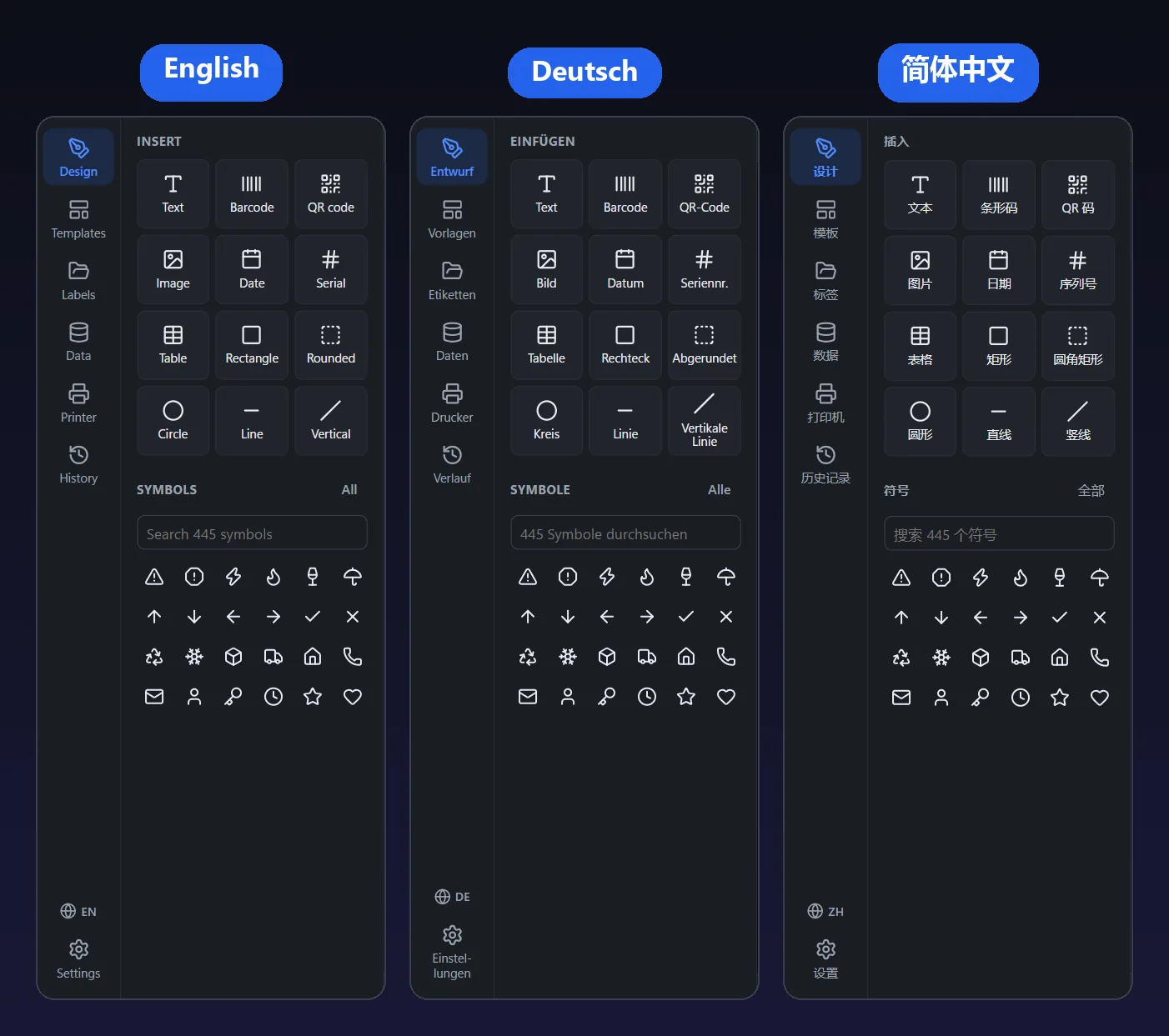
Change the language
- Click the globe button at the bottom of the side bar. It shows the current language, for example EN.
- Select a language.
You can also change it in Settings, Appearance, Language.
Available languages
| Language | Language |
|---|---|
| English | Italian |
| Bulgarian | Japanese |
| Chinese (Simplified) | Korean |
| Chinese (Traditional) | Marathi |
| Croatian | Polish |
| Czech | Portuguese (Brazil) |
| French | Russian |
| German | Spanish |
| Hindi | Swedish |
| Hungarian | Turkish |
| Ukrainian | Vietnamese |
Text that stays in English
Template names, template text and symbol names stay in English in every language. Search for templates and symbols with English words.
Translation corrections
If a translation is wrong or unclear, open an issue on GitHub with the language, the current text and the correction. Native speaker checks for Hindi and Marathi are welcome.