
Template library
The Templates page has 529 designs in 3,704 sizes. Each design comes in the sizes that suit it. Open a template, then change the text on the label.
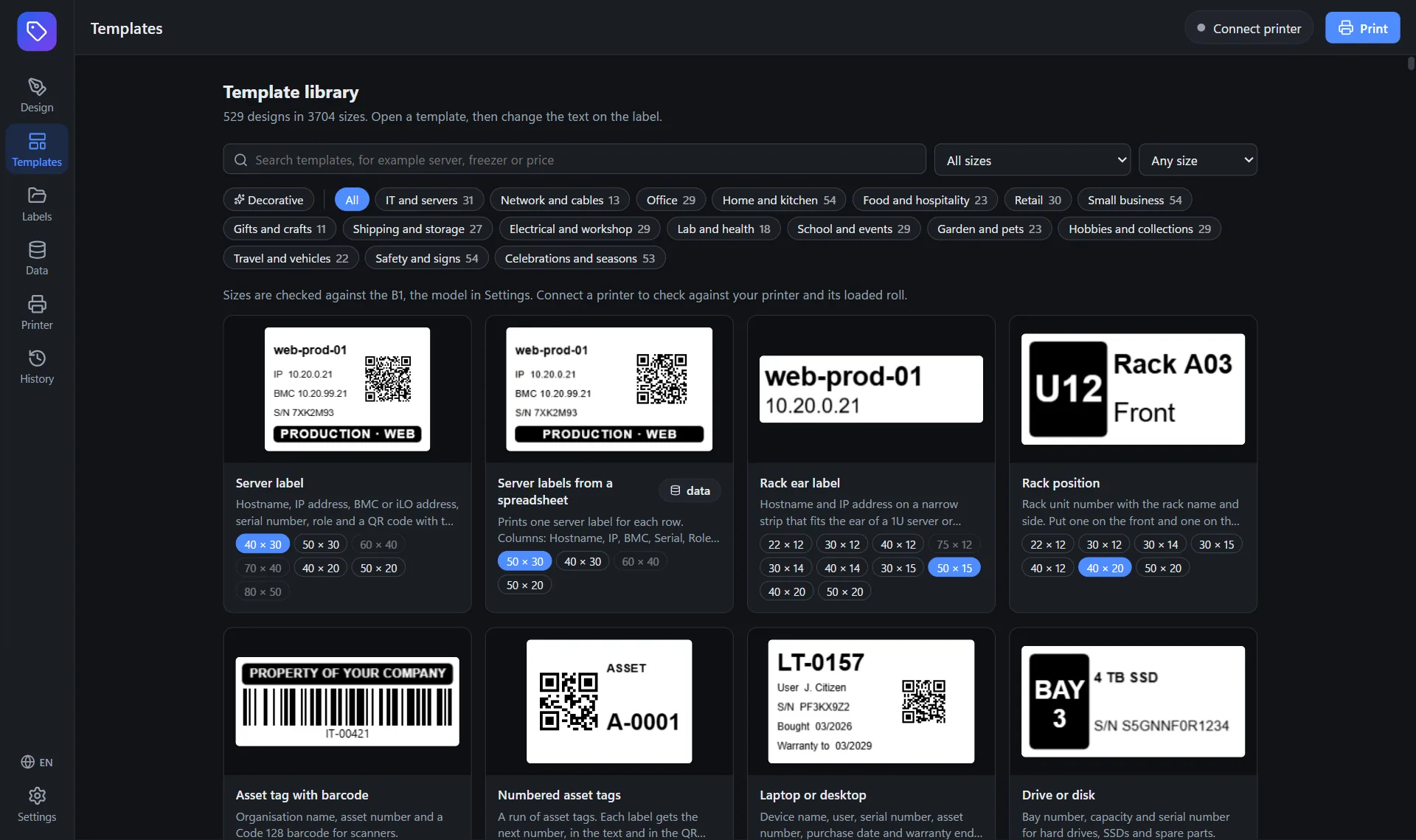
Find a template
- Search: type a word, for example
server,freezerorprice. Template names are in English. - Size list: shows the sizes that match the loaded roll, the NIIMBOT roll sizes for your printer, or all sizes.
- Size: shows one label size only, for example 40 × 30.
- Decorative: shows designs with the included fonts and ornaments.
- Category: IT and servers, Network and cables, Office, Home and kitchen, Food and hospitality, Retail, Small business, Gifts and crafts, Shipping and storage, Electrical and workshop, Lab and health, School and events, Garden and pets, Hobbies and collections, Travel and vehicles, Safety and signs, and Celebrations and seasons.
If no printer is connected, the app checks the sizes against the model in Settings. Connect the printer to check them against the printer and its loaded roll.
Open a template
Each card shows the sizes of the design. A highlighted size matches the loaded roll or a NIIMBOT roll for your printer. A faded size is too wide for the print head. Point to a size to see which applies. Click a size to open the design in the design view, then change the text.
The template becomes a new, unsaved label. Press Ctrl + S to save it on the Labels page.
Templates with data
A card with a data badge uses data fields, for example Server labels from a spreadsheet. Example data loads with the template. Replace it with your own file on the Data page. See Batch printing.
Templates that count or calculate
Some templates count up on each label, for example asset tags, cable markers and raffle tickets. Others calculate a date, for example use-by and next test dates. Set the start number or the number of days in the right panel after you open the template.
Fonts in templates
The templates use the 19 fonts that are included with the app, so they look the same on every computer.