
Settings
Click Settings at the bottom of the side bar.
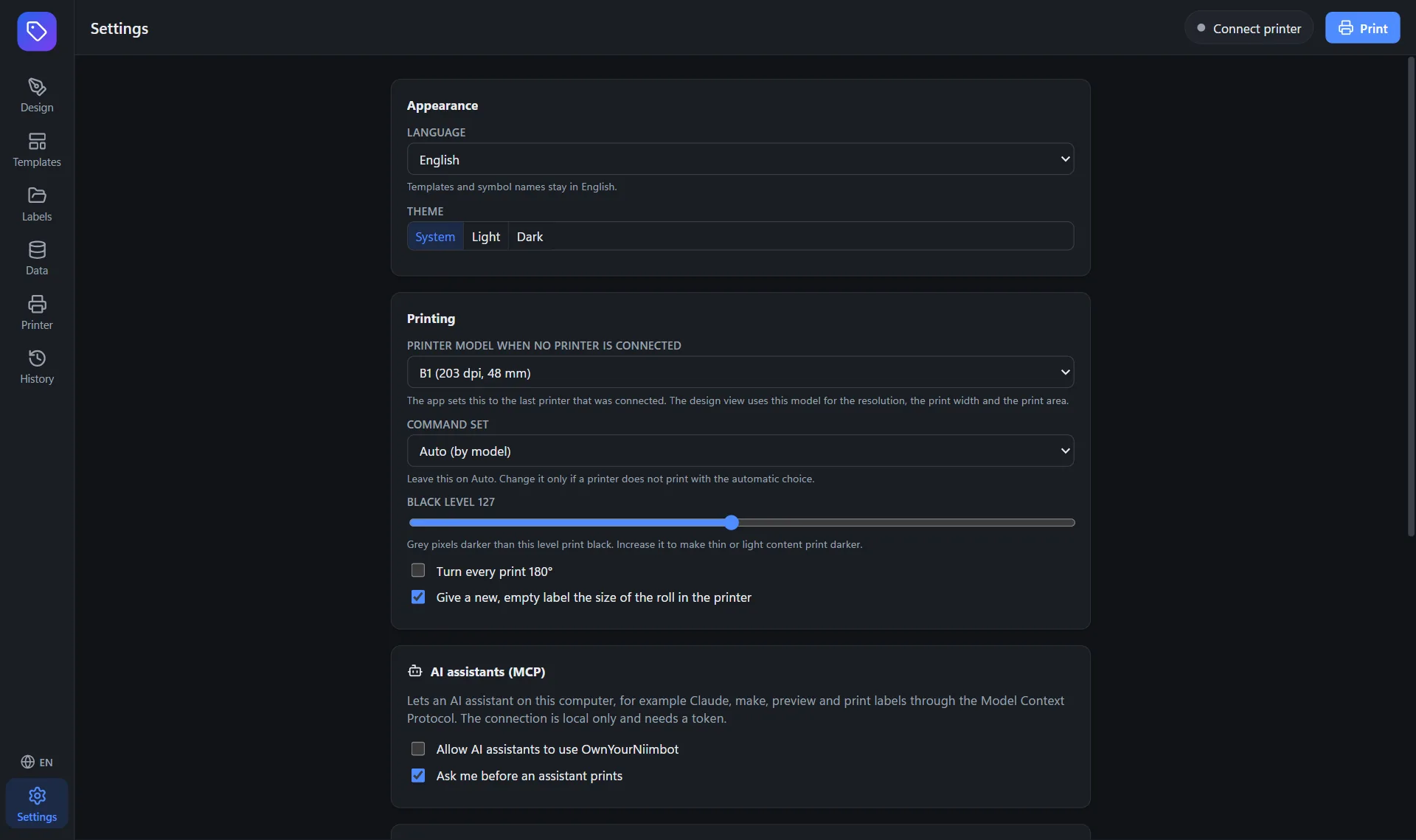
Appearance
- Language: the language of the app. Templates and symbol names stay in English. See Languages.
- Theme: System, Light or Dark. System follows the setting of your computer.
Printing
| Setting | Description |
|---|---|
| Printer model when no printer is connected | The design view uses this model for the resolution, the print width and the print area. The app sets it to the last printer that was connected |
| Command set | Leave this on Auto (by model). Change it only if a printer does not print with the automatic choice |
| Black level | Grey pixels darker than this level print black. The default is 127. Increase it to make thin or light content print darker |
| Turn every print 180° | Turns every print job by 180° |
| Give a new, empty label the size of the roll in the printer | On by default. See Label size detection |
AI assistants (MCP)
Lets an AI assistant on this computer make, preview and print labels. Off by default. See AI assistants (MCP).
Updates
- Check for updates automatically: on by default. The app checks when it starts and every 6 hours.
- Check now: checks at once.
See Updates.
Data
Open data folder opens the folder with your labels, print history and settings. See Privacy and the data folder.
About
The version of the app, the platform, a link to the project page and the open-source licences of the included fonts and libraries.